Safe Websites to Download APK Files
Description
APK files have become extremely popular among Android users. Many people download APK files to install apps that are unavailable on the Google Play Store, access older app versions, test beta releases, or use region-locked applications. While APK downloads provide flexibility and convenience, they also introduce serious security risks if users download from unsafe websites.
Today, thousands of APK websites exist online, but not all of them are trustworthy. Some platforms host safe and verified APK files, while others distribute malware, spyware, fake applications, and dangerous software hidden inside APK packages.
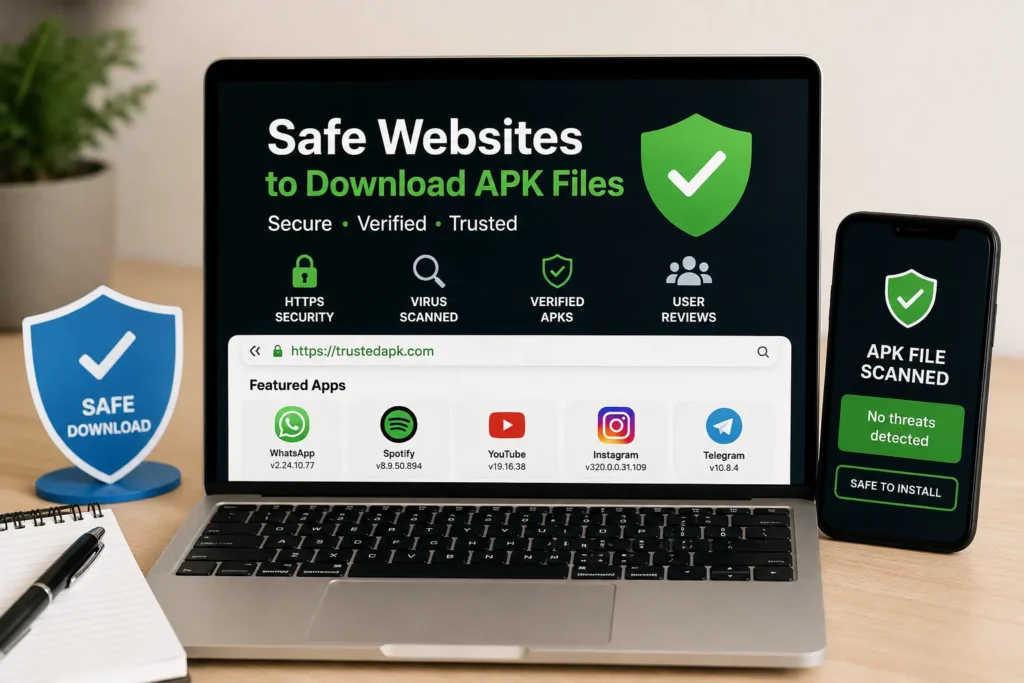
Because of these risks, understanding how to identify safe APK websites is very important. Users who ignore APK safety practices may expose their phones to data theft, banking malware, privacy breaches, and device performance problems.
This complete guide explains everything about safe APK websites, including HTTPS protection, virus scanning, APK verification methods, fake website warning signs, user reviews, and safe downloading practices.
Why APK Safety Matters
APK files are installation packages that can access many parts of an Android device. Once installed, an APK may request permissions such as storage access, contacts, camera usage, microphone access, and even SMS permissions.
If the APK file contains harmful code, it may:
- Steal passwords
- Access personal files
- Track user activity
- Show aggressive advertisements
- Install hidden malware
- Slow down the device
- Monitor banking activity
Unlike Google Play Store apps, APK files downloaded from third-party websites are not always checked through official security systems. This makes APK safety one of the most important parts of Android app installation.
Users who download APK files carelessly may unknowingly install dangerous applications that operate silently in the background.
How to Identify Trusted APK Websites
Not every APK website is dangerous. Some platforms follow strong security standards and carefully verify uploaded files.
However, users must still evaluate APK websites carefully before downloading anything.
Signs of a Trusted APK Website
Reliable APK websites usually include:
- HTTPS encryption
- Clear website design
- Verified app versions
- Developer information
- User reviews
- Virus scanning systems
- Limited advertisements
- Secure download process
These signs indicate that the website takes security seriously.
Here is an APK Website that helps you to understand the Nature of APK Files: Salam Bet
Signs of an Unsafe APK Website
Unsafe APK sites often display warning signs such as:
- Too many popup ads
- Fake download buttons
- Automatic redirects
- Poor grammar
- Suspicious permissions
- Unknown app publishers
- Forced browser notifications
- Random file downloads
If a website feels suspicious, users should avoid downloading from it.
HTTPS Protection
HTTPS is one of the first indicators of website safety.
What Is HTTPS?
HTTPS stands for Hypertext Transfer Protocol Secure. It encrypts communication between the user’s browser and the website server.
Websites using HTTPS protect users from:
- Connection hijacking
- Fake redirects
- Data interception
- Man-in-the-middle attacks
How to Identify HTTPS Protection
Users can identify HTTPS websites by checking:
- The lock icon near the URL
- URLs beginning with “https://”
For example:
- Secure: https://example.com
- Unsafe: http://example.com
Why HTTPS Matters for APK Downloads
When downloading APK files, HTTPS reduces the risk of modified downloads or intercepted files.
Unsafe HTTP websites may expose users to:
- Corrupted APK files
- Malware injections
- Download manipulation
Although HTTPS alone does not guarantee safety, it is still a critical security feature.
Virus Scanning
Virus scanning is one of the best methods for checking APK safety before installation.
What Is APK Virus Scanning?
Virus scanning analyzes APK files for harmful software or suspicious behavior.
Security tools check for:
- Trojans
- Spyware
- Banking malware
- Hidden tracking systems
- Ransomware
- Suspicious permissions
Types of Virus Scanning Methods
1. Antivirus Applications
Android antivirus apps can scan downloaded APK files directly on the device.
These apps may identify:
- Malware signatures
- Suspicious behavior
- Dangerous permissions
2. Online Virus Scanners
Some online platforms allow users to upload APK files for security analysis.
These scanners compare files against multiple antivirus engines.
3. Browser Security Systems
Modern browsers sometimes warn users about suspicious downloads automatically.
Why Virus Scanning Is Important
Virus scanning helps reduce risks such as:
- Password theft
- Data collection
- Banking attacks
- Device slowdown
- Background spyware
Even trusted APK websites may occasionally host unsafe files, so scanning remains important.
APK Verification Methods
Verification methods help determine whether an APK file is original and unmodified.
File Signature Verification
Android apps are digitally signed by developers.
A matching signature confirms that the APK belongs to the original developer.
If the signature changes unexpectedly, the APK may have been modified.
Hash Verification
Hash verification compares the downloaded file against the original version.
Common hash formats include:
- MD5
- SHA-1
- SHA-256
If the hashes do not match, the APK may be corrupted or tampered with.
Developer Certificate Verification
Developer certificates help confirm authenticity.
Trusted APK websites often display developer information and certificates for verification.
Version Verification
Users should compare APK versions with official developer releases.
Suspicious version numbers may indicate fake uploads.
User Reviews Importance
User reviews provide real-world feedback about APK files and websites.
Why Reviews Matter
Reviews may reveal:
- Installation success
- App crashes
- Malware reports
- Fake files
- Security concerns
- Performance issues
Large numbers of negative reviews may indicate dangerous downloads.
Positive Review Signs
Trusted APK pages usually contain:
Performance feedback
Detailed comments
Real user experiences
Installation confirmations
Warning Signs in Reviews
Users should avoid APK files with reviews mentioning:
- Malware infections
- Data theft
- Fake login screens
- Excessive advertisements
- Battery drain
- Device overheating
Fake APK Website Warning Signs
Many dangerous APK websites try to appear legitimate.
Users should learn how to identify common warning signs.
1. Too Many Pop-up Advertisements
Excessive ads often indicate low-quality or dangerous websites.
2. Fake Download Buttons
Some websites show multiple fake download buttons designed to trick users into downloading unwanted software.
3. Forced Redirects
Suspicious websites may redirect users automatically to unrelated pages.
4. Browser Notification Spam
Unsafe sites often request notification permissions aggressively.
5. Poor Website Design
Unprofessional layouts, broken pages, and spelling mistakes may indicate low trustworthiness.
6. Suspicious Permissions
If an APK requests unnecessary permissions, users should be cautious.
Examples include:
- Flashlight app requesting contacts
- Calculator requesting SMS access
- Wallpaper app requesting microphone access.
Safe Download Practices
Following safe download habits greatly reduces APK risks.
Download Only from Trusted Sources
Users should avoid random websites found through advertisements or suspicious search results.
Always Scan APK Files
Virus scanning should become a standard habit before installation.
Check Permissions Carefully
Review all requested permissions before installing the app.
Keep Android Updated
Android security updates help protect devices from malware attacks.
Avoid Cracked or Pirated APKs
Cracked apps are among the highest-risk APK categories.
These APKs often contain:
- Hidden malware
- Tracking systems
Spyware
Backup Important Data
Creating backups protects users from data loss if something goes wrong.
Dangerous Download Behaviors
Certain behaviors increase the risk of malware infections significantly.
Downloading APKs from Random Ads
Popup advertisements often lead to unsafe downloads.
Ignoring Browser Warnings
Security warnings should never be ignored.
Installing Without Scanning
Installing APKs without virus scanning increases risk.
Granting Every Permission Automatically
Users should review permissions carefully instead of accepting everything immediately.
Using Outdated Android Versions
Older Android systems may lack important security protections.
Downloading Cracked Premium Apps
Cracked APKs are one of the most dangerous download categories online.
Conclusion
APK files provide Android users with flexibility, early access to applications, and alternatives to traditional app stores. However, downloading APKs from unsafe websites can expose users to serious security threats, including malware, spyware, fake login screens, and data theft.
Understanding how to identify safe APK websites is essential for protecting Android devices and personal information.
Users should always look for HTTPS protection, verify APK authenticity, scan files for viruses, review permissions carefully, and pay attention to user reviews before installing any APK file. By following proper safety practices and avoiding suspicious download behaviors, Android users can reduce risks and enjoy safer APK installations.
Frequently Asked Questions
- Are APK websites safe?
Some APK websites are safe, but users must verify them carefully.
2. Can APK files contain viruses?
Yes, unsafe APK files may contain malware or spyware.
3.Is HTTPS enough to trust an APK website?
HTTPS improves security, but additional verification is still necessary.
4.Why should I scan APK files before installation?
Virus scanning helps detect malware and dangerous behavior.
5.Are user reviews reliable?
Reviews help identify problems, but fake reviews can also exist.
6. What are the safest APK download practices?
Use trusted websites, scan files, verify permissions, and avoid cracked apps.